

Build a simple invoice tracker in Excel
Watch alongside this article
Public YouTube resources matched to this article's topic, functions, and practice goal.

Excel for Finance and Accounting Full Course Tutorial (3+ Hours)
Learn Skills Daily
Open on YouTube (opens in a new tab)
Excel for Finance and Accounting Beginner Tutorial
Learn Skills Daily
Open on YouTube (opens in a new tab)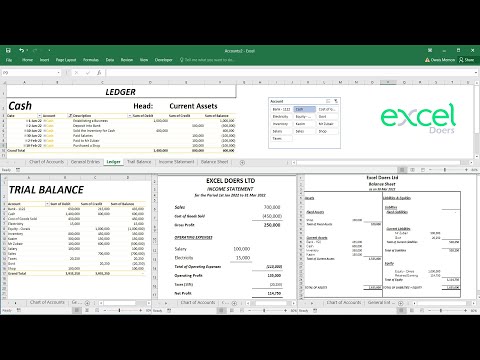
How to automate Accounting Ledger, Trial Balance, Income Statement, Balance Sheet in Excel
EXCEL DOERS
Open on YouTube (opens in a new tab)An invoice tracker should help you answer three questions: who owes money, when it is due, and what needs follow-up.
Recommended columns
Use one row per invoice:
- Invoice number
- Customer
- Invoice date
- Due date
- Amount
- Amount paid
- Balance
- Status
- Notes
Keep payments in a separate table if one invoice can have many payments.
Add useful formulas
Create a balance column:
=Amount-AmountPaidCreate a days overdue column:
=MAX(0,TODAY()-DueDate)Then use filters or a pivot table to summarize overdue balances by customer.
Use status carefully
Good status values are simple: Open, Part paid, Paid, Disputed, and
Written off. Avoid free text statuses because they are harder to summarize.
Review weekly
Filter for open invoices with a balance above zero, then sort by due date. That one view is usually enough to drive a weekly collections conversation.
Go deeper with this skill
Build an accounting-friendly worksheet that reconciles, ages, or summarizes transactions clearly. For this article, the goal is to practice: Create an invoice tracker for due dates, payment status, overdue balances, and monthly cash collection.
Practice workbook setup
Use sample invoices, payments, dates, customers, and amounts with a few missing or overdue records.
Practice workflow
- Separate source transactions from calculations and summary outputs.
- Use consistent account, customer, or invoice IDs for matching.
- Add checks for missing dates, negative amounts, duplicates, and unmatched records.
- Create a summary that ties back to the transaction detail.
Quality checks
- Totals reconcile between detail and summary.
- Date logic handles blanks and future dates correctly.
- Manual adjustments are labeled and separated from formulas.
Common mistakes
- Hard-coding a total that should come from transaction detail.
- Mixing text and numeric invoice IDs.
- Ignoring unapplied payments or duplicate invoice numbers.
Next actions
- Add an audit column that explains exceptions.
- Turn the layout into a reusable monthly template.
Formula focus: test SUMIFS(), TODAY() with normal rows, blank inputs, and at least one edge case.


